Changelog

See what's new in Squidly: updates that make it easier to monitor and manage your GitHub Actions workflows.

New

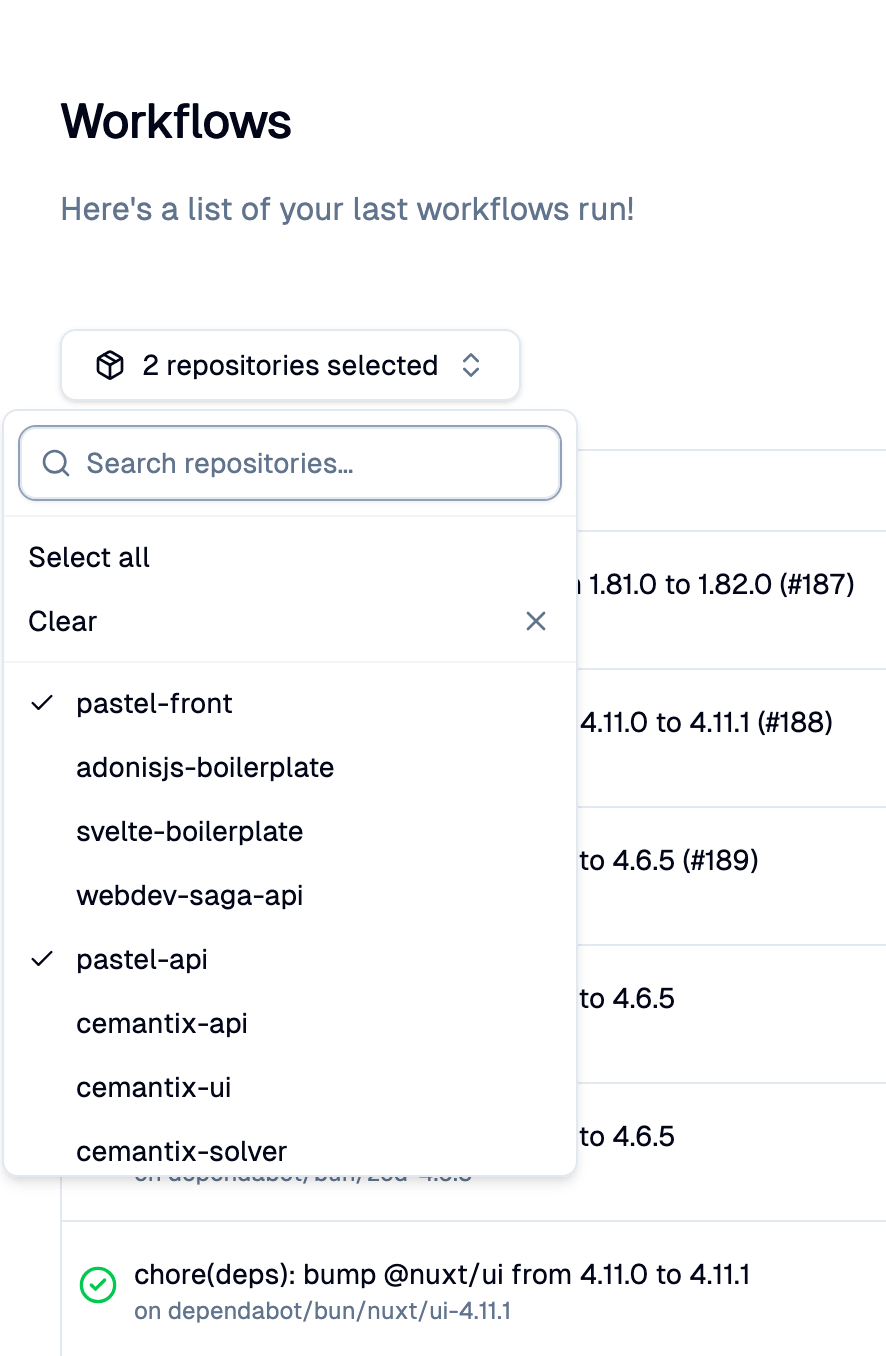
Add repository filter for workflow runs

We've added a new filter system that lets you filter your workflow runs by repository. This feature is particularly useful for users who have many repositories.


The filter provides a search bar to quickly find a repository by name, a multi-select to check one or more repositories, and progressive loading (infinite scroll) that displays results in groups of 10 to stay performant even with a large number of repositories.


You can also select all or clear your selection in one click, and your selection is immediately applied to the workflow runs list.


This update will help you navigate your workflow runs more easily and focus on the repositories that matter to you.
Repository filter for workflow runs
Improvement

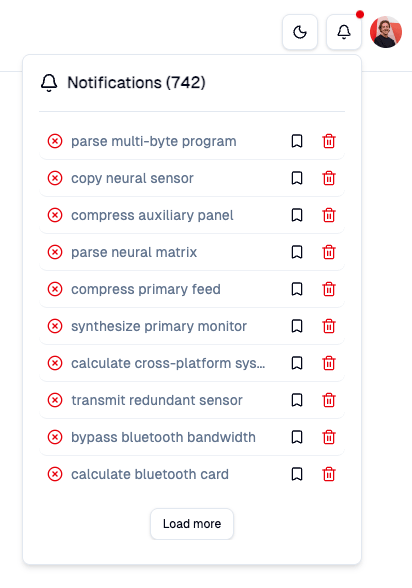
Add notifications system

We've added a new notifications system to provide a better user experience. The notifications system is intuitive and easy to use.


The notifications system allows you to receive updates about the failed status of your workflows. You can now easily track the status of your workflows and receive notifications when they fail. This feature is particularly useful for teams that work collaboratively and need to stay updated on the latest changes.


This update will help you stay informed about the status of your workflows and take action when necessary, improving your overall experience with the application.


Notifications system
Maintenance

Dependencies bump: AdonisJS v7

We've updated the dependencies of the API to the latest versions. This update includes the following changes:


- AdonisJS v7


This update will improve the performance, the security and the stability of the API. The other purpose is to reduce technical debt and improve the codebase.


New

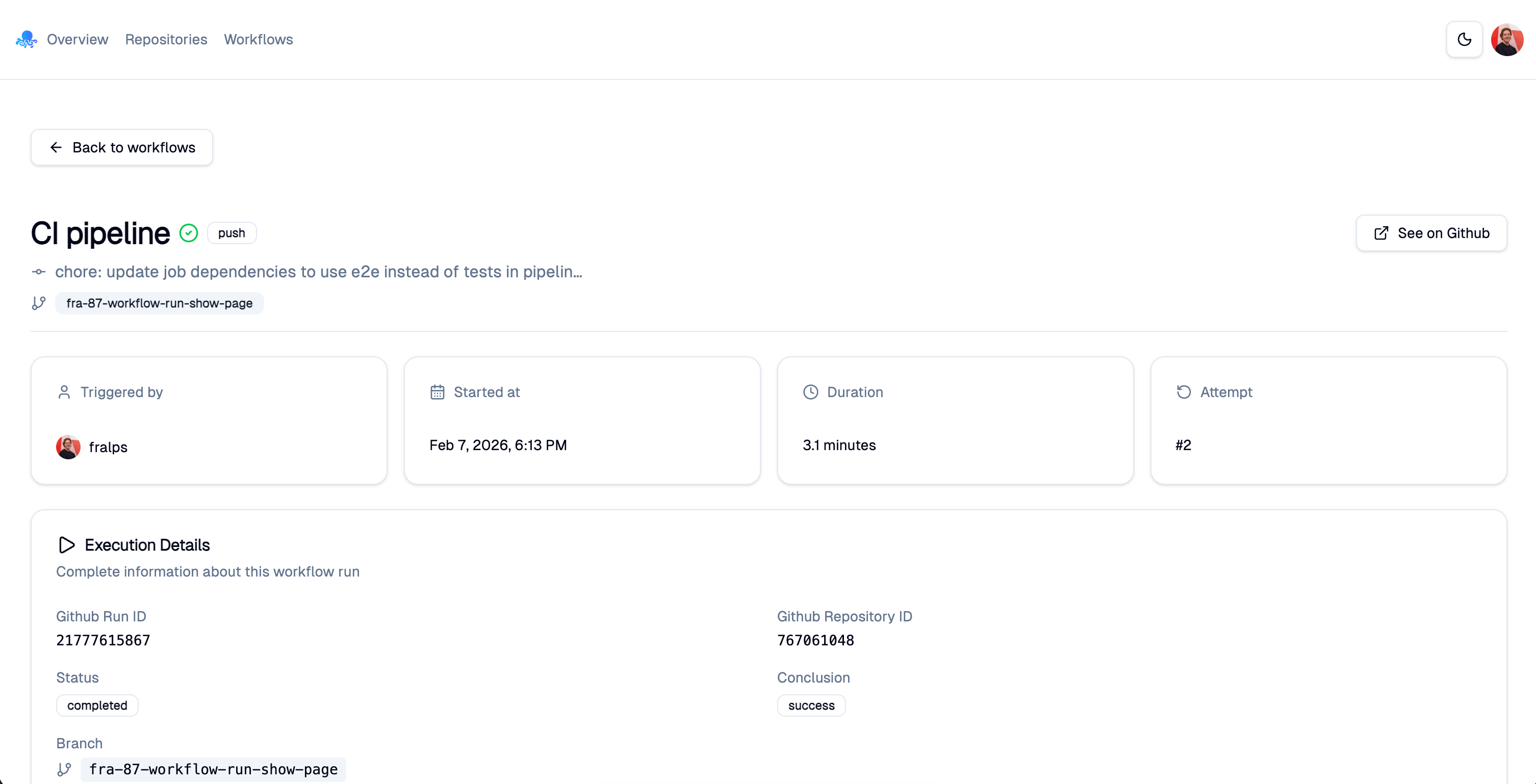
New workflow run details for Premium users

We've added a new feature that allows Premium users to access detailed information about their workflow runs. This feature provides insights into the execution of your workflows, including step-by-step logs, performance metrics, and error details.


Premium users can now view comprehensive details for each workflow run, helping them to better understand the execution process and identify any issues that may arise.


This update is designed to enhance the user experience for Premium users and provide them with valuable insights into their workflow runs.


Workflow run details
Improvement

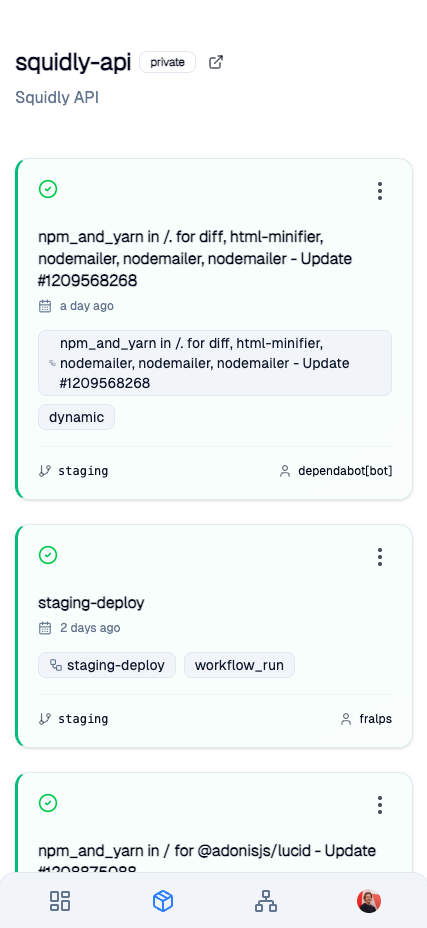
Refactor mobile UI for better usability for workflow runs list

We've improved the mobile user interface to enhance usability and provide a better experience for users accessing the application on mobile devices.


The old ui was not optimized for mobile devices, making it difficult to navigate and use the application effectively on smaller screens.


The workflow runs list has been redesigned to be more intuitive and easier to navigate on smaller screens. This includes larger touch targets, simplified layouts, and improved readability.


These changes aim to make it easier for users to manage and monitor their workflow runs while on the go.


Mobile workflow runs list
New

Add PWA support

We've added a new feature that allows you to install the application as a PWA. This feature allows you to install the application on your devices. This feature is particularly useful for teams that work collaboratively and need to stay updated on the latest changes.


You can now install the application through your browsers. Safari on iOS, Chrome on Android, etc.


PWA support
New

Add changelog page

We've added a changelog page to keep you informed about the latest updates and features of the application. This page will allow you to easily track changes and improvements made to the application.


The changelog page includes a list of all updates, with details on new features, improvements and bug fixes. You can also filter updates by date or type.


This update will help you stay informed about the latest changes and make the most of the application.


Maintenance

Dependencies bump: Svelte v5, Vite v7, Tailwind v4

We've updated the dependencies of the application to the latest versions. This update includes the following changes:


- Svelte v5


- Vite v7


- Tailwind v4


This update will improve the performance, the security and the stability of the application. The other purpose is to reduce technical debt and improve the codebase.


New

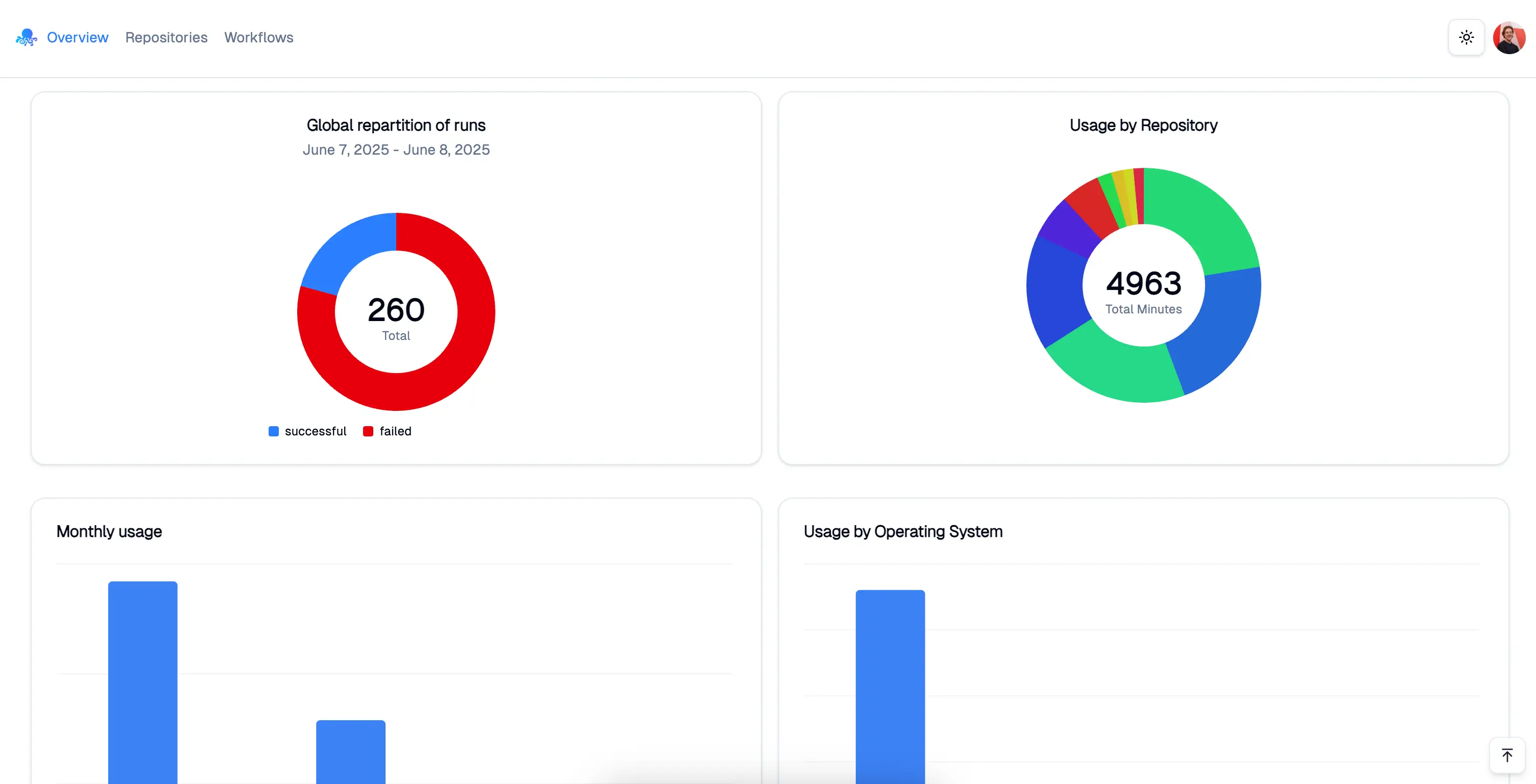
Add GithubActions usage statistics

We've added a new feature that allows you to view the usage statistics of your Github Actions workflows. This feature provides insights into how your workflows are performing and helps you optimize their execution.


You can now see metrics such as the number of runs, average execution time, and success rate for each workflow. This information is displayed in a user-friendly dashboard that makes it easy to analyze your workflows.


This update will help you better understand the performance of your workflows and make informed decisions to improve them.


GitHub Actions usage statistics
Improvement

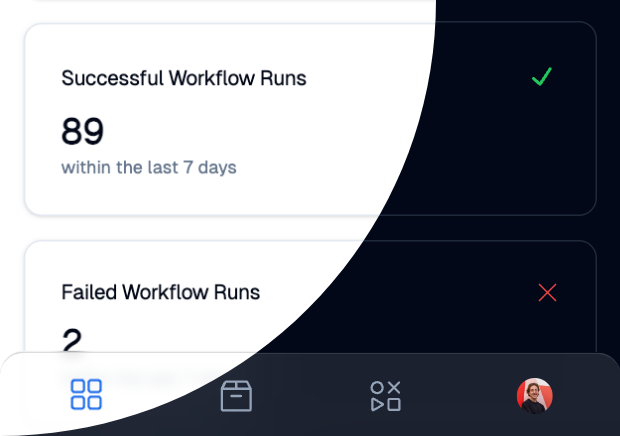
New mobile navbar

We've updated the mobile navigation bar to improve the user experience. The new navigation bar is more intuitive and easier to use.


This update includes a redesigned layout that facilitates access to the different sections of the application. The navigation bar is now more responsive and adapts better to mobile screens.


Before, the navigation bar was anchored at the top of the page and didn't allow easy navigation between the different sections. With the new navigation bar, you can quickly access all sections of the application without having to scroll down the page.


These features include quick access to the dashboard, repository list, workflow list and your profile.


Redesigned mobile navigation for Squidly
Bug

Fix - OAuth2 authentication

We've fixed a bug that caused issues with OAuth2 authentication. This bug affected users trying to connect to the application using OAuth2. The sign in request was hanging and users were unable to access the application.


The issue has been resolved and you can now connect to the application without any problems. We apologize for any inconvenience this may have caused.


This update ensures a smoother and more secure authentication experience.


Improvement

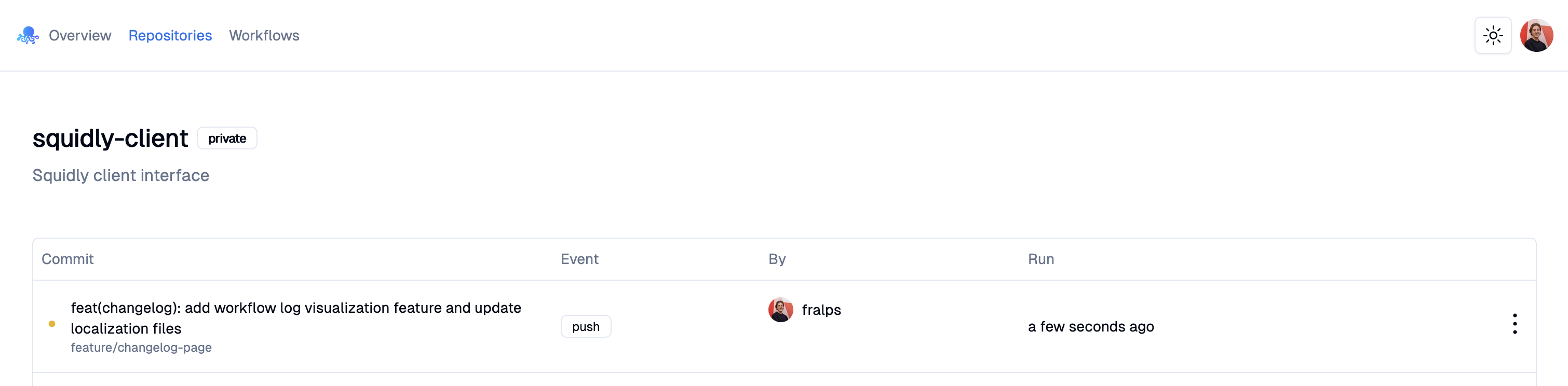
Real-time refresh of new workflows

We've improved the workflow list to refresh in real-time when new workflows are added. This means you no longer need to manually refresh the page to see the latest workflows.


This update is particularly useful for teams that work collaboratively and need to stay updated on the latest changes.


Now, as soon as a new workflow is added, it will automatically appear in your list without any action required on your part.


Real time refresh of new workflows
New

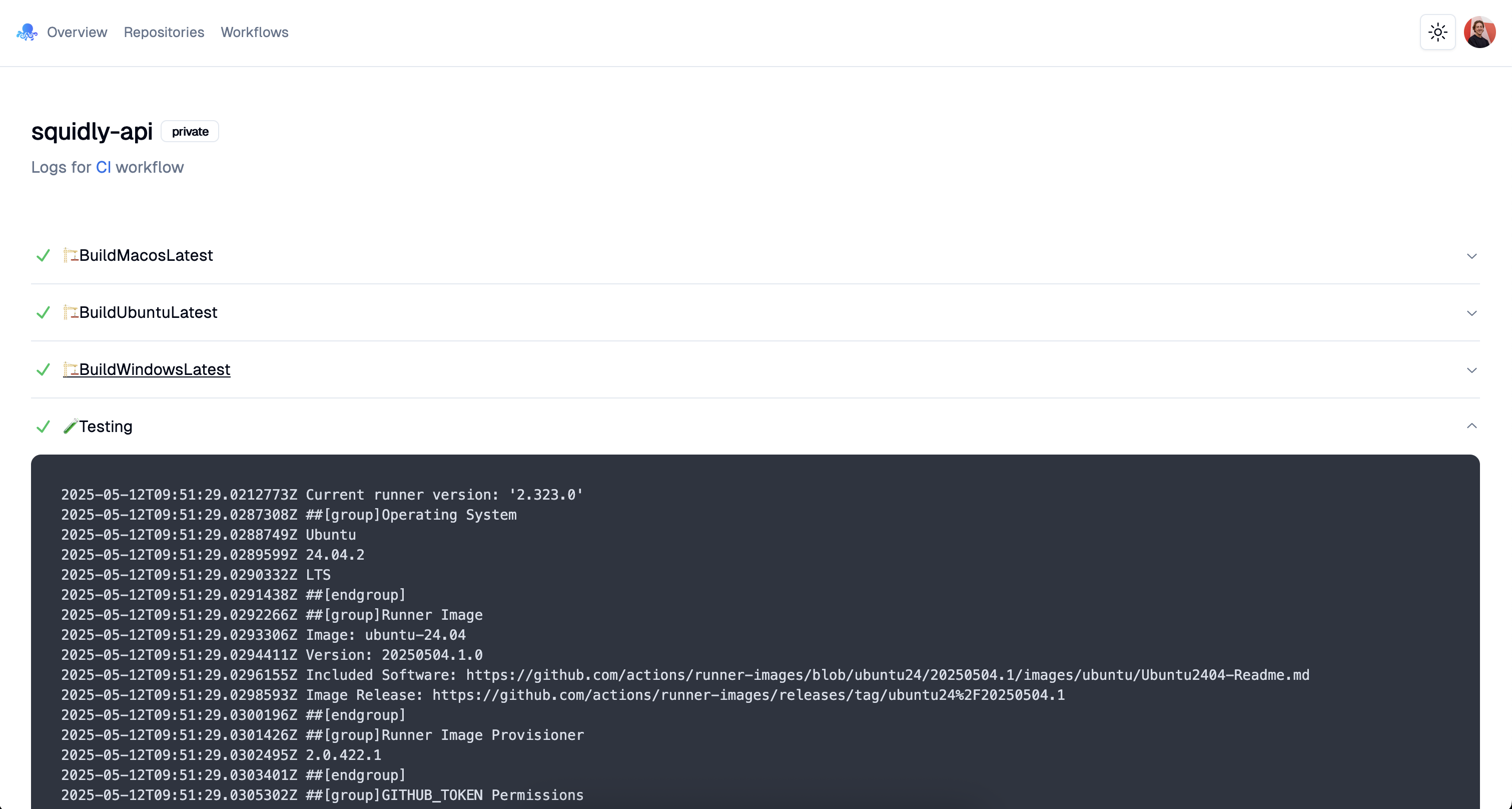
Add workflow log visualization feature

We've added a new feature that lets you view the logs of your workflows directly from the interface. This feature is particularly useful for debugging and monitoring workflows.


Before, you had to download the logs or go to the Github interface to view them. Now you can visualize them directly in the application.


This update will save you time and help you better understand how your workflows work.


Workflow logs
New

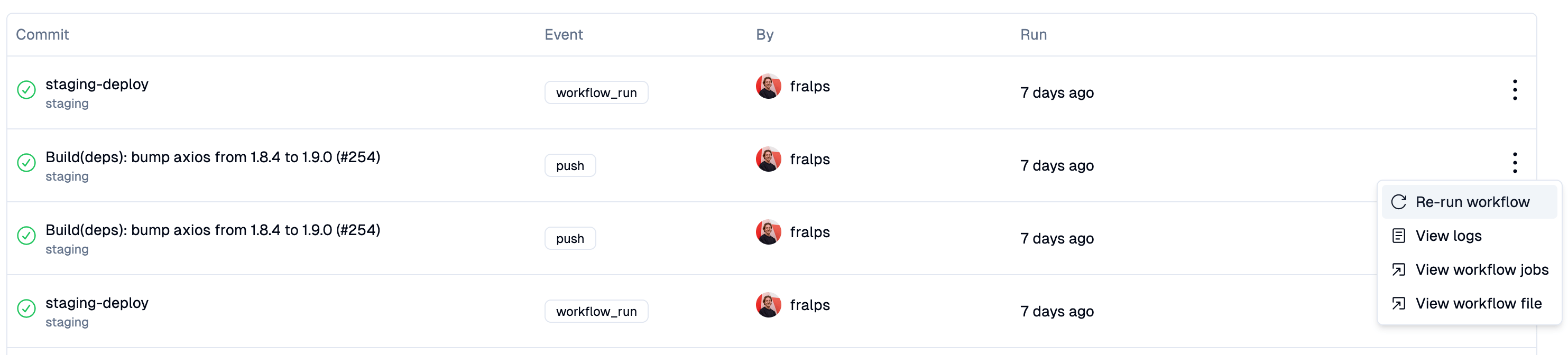
Add one-click workflow cancel feature

We've added a new feature that lets you cancel a workflow with a single click. This feature is particularly useful for workflows that take too long or are no longer needed.


Before, you had to navigate through the workflow parameters to cancel it from the Github interface. Now you can do it directly from the list of workflows.


This update will save you time and allow you to manage your workflows more efficiently.


Cancel a workflow
New

Add one-click workflow restart feature

We've added a new feature that lets you restart a workflow with a single click. This feature is particularly useful for workflows that fail or require repeated execution.


Before, you had to navigate through the workflow parameters to relaunch it from the Github interface. Now you can do it directly from the list of workflows.


This update will save you time and allow you to manage your workflows more efficiently.


Restart a workflow