 Squidly
GitHub Actions Monitoring: Signals and a Routine That Holds
By Squidly Team 7 min read
- github-actions
- monitoring
- ci
- multi-repo
The short answer
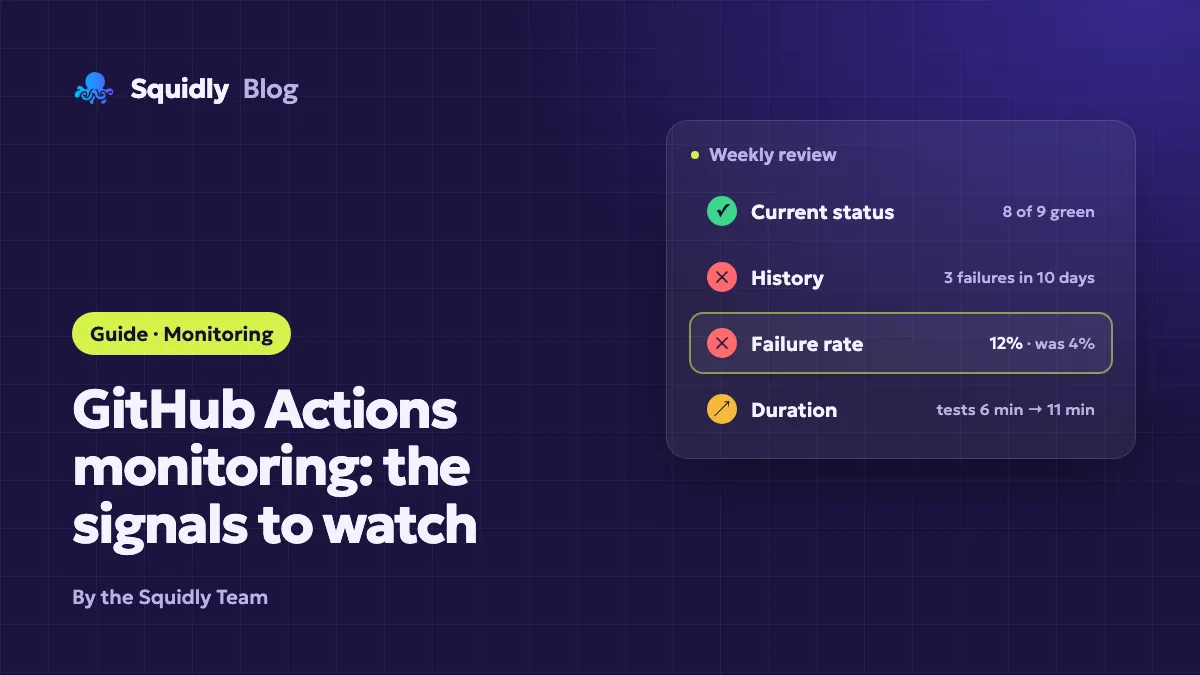
Good GitHub Actions monitoring rests on four signals: the current status of each workflow, its history over time, the failure rate, and the duration of runs. Checking the latest run is not enough. A workflow can be green today and have failed on three of the last ten days, or it can pass while getting twice as slow each month.
Manual checks work for a few repositories if you do them on a fixed schedule. Past that point, the routine is what fails first: people skip it, or they look only at the repository they touched last. This article lists the signals to watch, explains where a manual routine stops being reliable, and gives you a weekly review you can run with the tools you already have.
Why "is it green?" is the wrong question
A green badge answers one question for one workflow on one branch, at one moment. Monitoring needs to answer others:
- Did this workflow fail more often this week than last week?
- Did the scheduled job that runs at night actually run?
- Did the duration of the test job change after the last dependency update?
- Which repository is responsible for most of the failures?
If your question is about trends, a snapshot is the wrong tool. You need the history of runs, not the latest result.
The four signals to watch
1. Current status
The current status tells you whether a workflow's most recent run succeeded, failed, was cancelled, or is still running. It is the signal that notifications are built around. Use it to catch a broken deployment or a failing main branch right away.
Keep in mind that a single red run is not always a problem. A flaky test, a cancelled run superseded by a newer push, or a failure on a feature branch may not need action. Read the status together with the branch and the event that triggered the run.
2. History
History is the list of runs over a period, with their branch, event, actor and outcome. It is what lets you tell a one-off failure from a pattern. The native Actions tab shows this history for one repository and supports filters by workflow, branch, status and actor. That is enough to investigate a single repository in depth.
Check the retention of your logs and run history. Retention settings can limit how far back you can go, so a monthly review must happen before old runs disappear.
3. Failure rate
The failure rate is the share of runs that failed over a period, for a given workflow. It is the most useful number for deciding what to fix first, because it ranks problems by how often they hurt you, not by how loudly they fail.
A simple way to measure it:
failure rate = failed runs / completed runs, for one workflow, over 7 days
Compare the rate across workflows rather than reading each one alone. For example, a workflow that fails 30% of the time on a feature branch is a different problem from one that fails 2% of the time on main, even if both show red today. The figures are illustrative, not measurements.
4. Duration
Duration shows how long each run takes, and how that changes. Say a workflow slowly grows from 6 to 14 minutes (an illustrative figure): it costs you time on every push, and the growth is invisible if you only look at whether the run passed. Durations also explain why some jobs time out.
Track the median duration per workflow and compare it with the previous month, rather than reacting to one slow run. A sudden jump usually points to a specific change: a new test suite, a cache that stopped restoring, or a runner that changed.
Where a manual routine stops working
A manual routine can be disciplined. It still has limits that appear as the number of repositories grows. If you look after several repositories, the cross-repository problem is covered in detail in monitoring GitHub Actions across multiple repositories.
| Situation | What a manual routine does | What breaks |
|---|---|---|
| 1 to 3 repositories you check every day | Open each Actions tab, scan the status | Little. Usually reliable. |
| 5 to 10 repositories across several owners | Visit each repository in turn | Repositories you did not touch are skipped. |
| Client projects with separate access | Log in and check each account | Time is lost on access, and history is uneven. |
| Trend analysis across all repositories | Export data or copy numbers by hand | Hard to repeat and easy to get wrong. |
The pattern is the same each time: the check depends on someone remembering to do it, and the number of places to check grows faster than the time available. Two things help. First, make the routine small enough to finish in 15 minutes. Second, decide in advance which repositories and which signals the routine covers, so the review does not depend on memory.
A weekly review you can keep
This routine works with the native tools. It takes about fifteen minutes once a week.
- List your repositories. Write down every repository with active workflows. Mark the ones with a scheduled workflow, because a scheduled run that does not happen leaves no red line behind.
- Check the status of the main branch. For each repository, confirm that the last run on the default branch is green, or that a known failure has an open ticket.
- Review the week's failures. Note each failed workflow, and whether it is a one-off, a repeat, or a flaky test. Repeats go to the top of the list.
- Look at durations. Pick the three slowest workflows and compare their median with last month. Write down any jump, even if nothing is broken yet.
- Confirm scheduled jobs ran. A nightly job that did not run, or that has been paused, does not appear in a list of failed runs. Check that the last scheduled run exists and is recent.
- Decide and record. For each finding, choose one action: fix now, ticket it, or accept it. Keep the notes in the same place every week, so you can compare the next review with this one.
When a repeat failure needs investigation, use the step-by-step method for debugging a failing workflow. When you need to decide how alerts reach you between reviews, read GitHub Actions notification options.
Limits of a manual routine
Even a good weekly review has limits you should accept, not hide:
- It is a snapshot taken on a schedule. A failure that starts on Monday and is fixed on Tuesday may never appear in the review, unless you keep a record of it.
- It depends on discipline. A routine dropped for three weeks means three weeks without signal.
- It grows with every repository. Each repository you add lengthens the review, and the review becomes the first thing to be cut.
- It is hard to share. A checklist in one person's head is not a process a team can follow.
These limits are not a reason to give up on monitoring. They are the reason to decide, early, how much of the routine you want to automate.
When a dedicated tool helps
A dedicated dashboard can take over the parts of the routine that are mechanical: collecting the runs from several repositories and keeping the history. To decide between the native tools and a dashboard, compare the native GitHub Actions tab with Squidly.
Squidly is one such tool, and it maps onto the signals above as follows:
- History and status: Squidly stores the workflow events of the repositories you connect, and its runs view lists them together, with filters by repository and a search bar. This replaces the repository-by-repository check of the weekly review.
- Duration and cost: its usage charts show GitHub Actions usage by repository, by month and by operating system, which helps you see where time goes. They show usage, not a failure rate per workflow: for that signal, keep the weekly review.
- Actions: on the Premium plan, you can re-run or cancel a workflow and open run details and logs from the dashboard.
Squidly does not run your pipelines or replace the Actions tab. GitHub still executes everything, and the detailed logs remain in GitHub. If you watch a single repository, the native tab may be enough.
Before you rely on any tool for monitoring, check the points that matter for your setup:
- Which repositories and accounts it can see, and how it handles private repositories.
- How much history it keeps, and for how long.
- Which actions (re-run, cancel, view logs) are available on which plan.
- Who can access the data, especially if you work with clients.
The tool should reduce the routine, not replace the decision about what to watch. The four signals above stay useful whatever you use.
Conclusion
Monitoring GitHub Actions means watching four things: the current status, the history, the failure rate and the duration. A manual weekly review covers them well for a few repositories, provided you decide in advance what it checks and keep the notes. When the number of repositories or the need for history grows, a dashboard can take over the collection and the trends, while you keep control of the decisions.
Start with the review above this week. After four weeks, you will know which of the four signals you actually need to automate.