 Squidly
Flaky GitHub Actions Workflows: How to Find and Fix Them
By François Loupias 11 min read
- github-actions
- flaky-tests
- ci
- reliability
The short answer
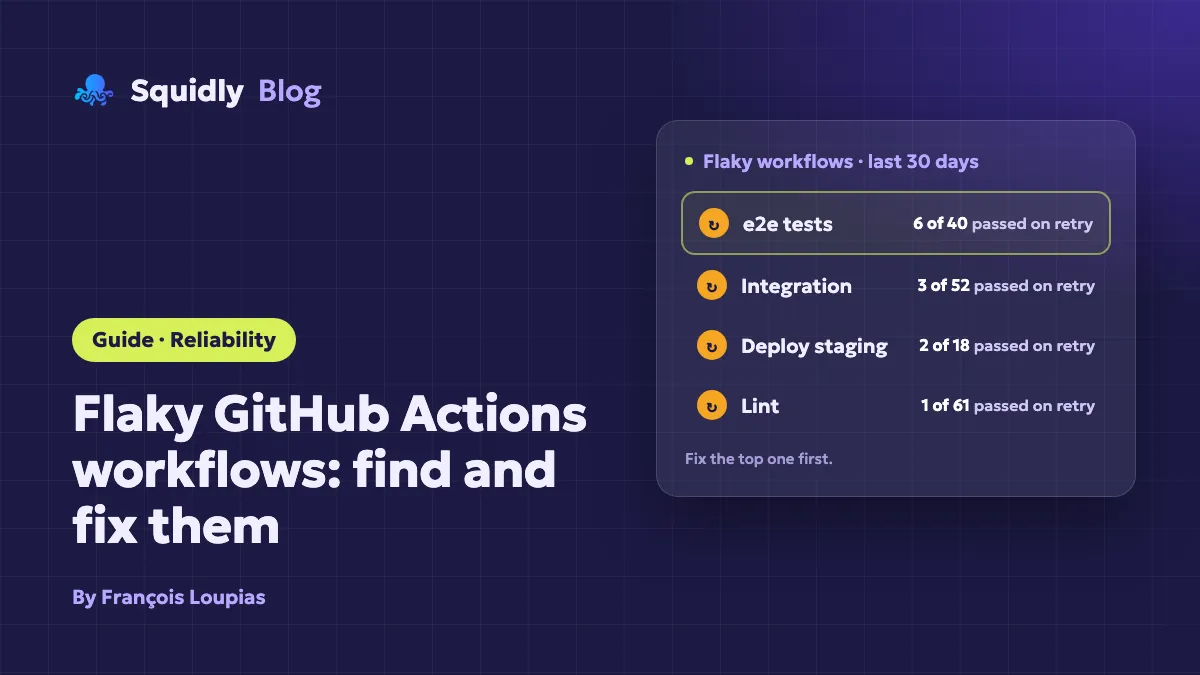
A flaky GitHub Actions workflow is one that fails, then passes when you re-run it on the same commit, without any change to the code. The most reliable way to find one is to count the runs that passed on retry: a successful run whose run_attempt is greater than 1. Rank your workflows by that number, fix the top one, and repeat. Most flakiness comes from a short list of causes: shared state between tests, time and randomness, services that are not ready, network calls to registries, floating versions, missing timeouts and concurrent deployments.
Re-running is a fine way to unblock a merge. It is not a fix. Every blind re-run costs runner minutes and, worse, teaches the team that a red build does not mean anything.
What makes a workflow flaky
A failure is deterministic when the same commit fails every time: a broken test, a syntax error in the YAML, a missing secret. A failure is flaky when the same commit sometimes passes and sometimes fails. The code did not change between the two attempts, so something else did: timing, ordering, the network, the runner, or a dependency that moved.
The practical test is simple. If Re-run failed jobs turns a red run green without a new commit, the workflow is flaky, at least for that run. GitHub keeps the result of each attempt, so the evidence is already in your run history. If you want the details of re-running only what failed, see how to re-run only the failed job in GitHub Actions.
Why flaky workflows cost more than a re-run
At Kinoba, I follow the CI of several client projects at once. The re-run itself was never the problem. The problem was what happened after a few weeks of re-runs:
- Nobody trusts red anymore. When a build fails, the reflex becomes "re-run it" instead of "read the log". The day a real regression fails the same job, it gets re-run too, and sometimes merged.
- Minutes add up. On private repositories, every attempt consumes billable runner minutes. A 12-minute end-to-end suite re-run twice a day is about 8 hours of runner time a month for one workflow (an illustrative figure, not a measurement).
- Feedback gets slower. A developer who waits for a second or third attempt is not working on the next task. The cost is in focus, not only in minutes.
- It hides in the averages. A workflow can show a 98% success rate on the final attempt and still need a re-run on one run in ten. Success rate on the last attempt is the wrong metric for flakiness.
How to find flaky workflows
Use the "passed on retry" signal
Every workflow run has a run_attempt number, also exposed in workflows as ${{ github.run_attempt }}. It starts at 1 and increases with each re-run of the same run. A run whose final conclusion is success with run_attempt greater than 1 failed at least once on the same commit, then passed. That is the most useful flakiness signal you can get without changing anything in your workflows.
Count those runs per workflow over a fixed period (one or four weeks) and rank them. The workflow at the top is the one to fix first, because it is the one that interrupts people most often.
Count them with the GitHub CLI
For one repository, the GitHub CLI can do the count. gh run list exposes the attempt field of each run:
gh run list --limit 500 --created ">=2026-11-01" \
  --json workflowName,attempt,conclusion \
  --jq 'map(select(.conclusion == "success" and .attempt > 1))
        | group_by(.workflowName)
        | map({workflow: .[0].workflowName, passed_on_retry: length})
        | sort_by(-.passed_on_retry)'
The output lists each workflow with the number of runs that only passed after a re-run. Divide by the number of completed runs of that workflow over the same period to get a rate you can compare from one month to the next. Run it in each repository you look after, or loop over a list of repositories with --repo owner/name.
Two limits to keep in mind: the count only covers the history your retention settings keep, and a run that someone re-ran while it was already green also counts. In practice the second case is rare, but check a few runs by hand before you draw conclusions.
Let your test runner flag flaky tests
The workflow tells you which job is flaky. Your test runner can tell you which test. Playwright reports a test as flaky when it fails and then passes on a retry, as long as retries is set in its configuration. Vitest, Jest and most other runners have a retry option too. Use retries to collect the list of unstable tests, not to hide them: a test that needs a retry still goes on the list to fix.
The seven usual causes, and their fix
1. Tests that share state
Tests pass alone and fail together, or fail only in a certain order. One test writes to a database, a file or a global variable, and the next one reads it. Parallel test workers make this worse.
Fix: give each test its own data (unique IDs, a transaction rolled back after each test, a temporary directory). Run the suite in random order locally to reproduce the problem, with the seed printed so you can replay a failing order.
2. Time, time zones and randomness
A test that builds "tomorrow's date" fails around midnight, or on the last day of the month. A test that depends on the runner's time zone passes on your laptop and fails on GitHub, where runners use UTC. Random test data produces the one value that breaks an assertion, once in a while.
Fix: freeze the clock in tests, set the time zone explicitly, and seed random generators. Print the seed in the log so a failure can be reproduced.
3. Services that are not ready yet
The job starts a database or a cache as a service container, and the first test connects before it accepts connections. It fails when the runner is slow, and passes on retry.
Fix: add a health check, so GitHub waits for the service before the steps start:
services:
  postgres:
    image: postgres:17
    env:
      POSTGRES_PASSWORD: postgres
    ports:
      - 5432:5432
    options: >-
      --health-cmd "pg_isready -U postgres"
      --health-interval 5s
      --health-timeout 5s
      --health-retries 10
4. The network: registries, APIs and rate limits
Installing dependencies, pulling Docker images or calling a third-party API from a test means the result depends on someone else's uptime and rate limits. The error is usually explicit in the log: a timeout, ECONNRESET, 429 Too Many Requests, or a failed image pull.
Fix: cache dependencies with a key built from your lockfile (see GitHub Actions cache best practices), authenticate to registries that rate-limit anonymous pulls, and mock third-party APIs in tests. When a step really has to call the network, retry that step only, with a limit, rather than the whole workflow.
5. Floating versions
runs-on: ubuntu-latest moves to a new image when GitHub updates the label. An action referenced by a major tag such as @v4 can receive a new release. A dependency installed without a lockfile can change between two runs. None of this is flaky in the strict sense, but it shows up the same way: a workflow that passed yesterday fails today on the same code.
Fix: commit your lockfile and install from it (npm ci, bun install --frozen-lockfile, bundle install with a committed Gemfile.lock). Pin the runner image (ubuntu-24.04) on workflows that must stay stable, and pin third-party actions to a full commit SHA. Upgrade on purpose, in a dedicated pull request.
6. Jobs without a timeout
By default, a job can run for up to 6 hours before GitHub cancels it. A test that hangs on a lock or a network call does not fail fast: it holds a runner, and the run ends up cancelled or timed out long after anyone was looking.
Fix: set timeout-minutes at the job level, a little above the usual duration, and on long steps that can hang:
jobs:
  test:
    runs-on: ubuntu-24.04
    timeout-minutes: 20
A run that hits the timeout is a clear signal. A run that hangs for hours is not.
7. Concurrent runs on the same target
Two pushes in a row start two deployments to the same environment. The second one fails because the first is still holding a lock, or both write to the same staging database at once.
Fix: use a concurrency group, so only one run per target is active:
concurrency:
  group: deploy-${{ github.ref }}
  cancel-in-progress: false
Keep cancel-in-progress: false for deployments, so a deploy is never killed halfway. For test workflows on pull requests, true is usually what you want: it cancels the outdated run and saves minutes.
When the cause is not on this list, go back to the logs of the failed attempt. The 6-step method for debugging a failing workflow works the same way for a flaky failure, with one extra step: compare the failed attempt with the successful one.
Retry or fix? A policy that holds
Some retries are reasonable. The point is to decide which ones in advance, instead of re-running by reflex. This is the policy I use:
| Situation | Retry? | What to do |
|---|---|---|
| Registry or network timeout during install | Yes, the step only, once | Add a cache or authenticate. Track how often it happens. |
| Test failing on a third-party API | No | Mock the API in tests. |
| Test failing in a random order or with parallel workers | No | Isolate the test data. Quarantine the test if it blocks the team. |
| Deployment failing because another one is running | No | Add a concurrency group. |
| Same job passed on retry more than once in a week | One re-run to unblock only | Open an issue with the links to both attempts, assign an owner. |
| Failure you cannot explain after reading the failed attempt | Once, with debug logs | Re-run with debug logging enabled and compare the attempts. |
Three habits make the policy stick:
- Every flaky test gets an owner and an issue, with the link to the failed attempt and the successful one. A flaky test nobody owns stays flaky.
- Quarantine, do not delete. If a test blocks the team, move it to a separate, non-blocking job and keep it running. Deleting it removes the signal along with the noise.
- Track the number, not the feeling. Review the passed-on-retry count every week, next to the other signals in a weekly GitHub Actions monitoring routine. The goal is a number that goes down over a month.
Track flaky workflows across repositories
The CLI query above works well for one repository. When you follow ten, across several organizations or client accounts, running it everywhere every week is exactly the kind of routine that gets skipped. This is one of the reasons I built Squidly.
Here is what it does for flakiness, and what it does not:
- Passed on retry badge. In the runs list, a run that only succeeded after a re-run carries a Passed on retry badge, with the attempt number. You see it in the same list as the runs of every connected repository.
- Flaky workflows ranking. The overview ranks workflows by the number of runs that passed on retry, across all your repositories. The window is the last week on the free plan and the last month on Premium.
- Logs and re-runs from the dashboard (Premium). You can open the logs of a run and re-run or cancel it without switching to the Actions tab. GitHub still executes everything.
- Usage charts (Premium). Squidly charts your Actions minutes by repository and by month, which shows how much the re-runs actually cost.
Squidly uses the same signal as the CLI query, so it has the same limit: a run re-run while it was already green also counts. It does not detect flaky tests inside a job either: for that, keep your test runner's retry report. And run history is kept 7 days on the free plan, 30 days on Premium, so export anything you want to keep longer.
FAQ
What is the difference between a flaky test and a flaky workflow?
A flaky test is one test case that sometimes passes and sometimes fails on the same code. A flaky workflow is a workflow run that fails and then passes on re-run. Flaky tests are the most common cause of flaky workflows, but not the only one: services, networks, runners and concurrency cause them too.
Can GitHub Actions automatically retry a failed job?
GitHub Actions has no workflow setting that re-runs a failed job automatically. You can re-run failed jobs from the run page, with gh run rerun --failed, or through the REST API. For a single step that calls the network, a retry loop in the step itself, or a dedicated retry action, is more precise than re-running the whole job.
How do I enable debug logging for a flaky run?
When you re-run a job from the GitHub interface, check Enable debug logging. You can also set the ACTIONS_STEP_DEBUG secret or variable to true in the repository to get step debug logs on every run. Compare the logs of the failed attempt with the successful one: the first line where they differ is usually close to the cause.
What is an acceptable flakiness rate?
There is no official threshold. A useful target is that no workflow passes on retry more than once a week, and that the total number goes down from one month to the next. What matters is the trend and the owner, not a perfect zero.
Conclusion
Flaky workflows are not bad luck. They have a short list of causes, and they leave a clear trace in your run history: runs that passed with run_attempt greater than 1. Count them, rank the workflows, fix the top one, and set a policy for the retries you accept.
Start with the CLI query on your busiest repository this week. If you follow more repositories than you can check by hand, connect them to Squidly and let the flaky workflows ranking do the counting for you.